FreelanceWebDesigner

Social Media

facebook ads guide
Social Media

Facebook Ads Guide: Tips for Effective Campaigns

This Facebook ads guide will provide you with the most up-to-date tips for successful advertising on Facebook. With close to three billion monthly active users as of January 2023, Facebook continues to be a leading social media platform. Over time, Facebook’s advertising options have developed significantly, adapting to the needs of its extensive user base. As a result, marketers have had to continually refine their approaches to ensure they achieve optimal results. Related Article: Top 7 Benefits of Facebook Marketing for Small Businesses What are Facebook ads? Facebook ads are paid posts that businesses use to promote their products or services to Facebook users. These ads come in various formats, including images, videos, and carousels. Similar to Instagram, Facebook ads are displayed throughout the platform, appearing in users’ feeds, Stories, Messenger, Marketplace, and other sections of the app. When setting up Facebook ads, businesses allocate a budget and bid on the cost per click or per thousand impressions their ads receive. Although Facebook ads often resemble regular posts, they are distinguished by a “sponsored” label that indicates they are paid content. Additionally, these ads typically offer more interactive features than standard posts, such as call-to-action buttons, links, and product catalogs. Incorporating Facebook ads into your marketing strategy is essential if you want to increase your brand’s visibility to a broader audience. A reliable social media marketing expert can assist in managing and optimizing your ad campaigns for maximum effectiveness. Types of Facebook ads Facebook offers a variety of ad formats to suit different marketing goals. Here is a closer look at each format: Image Ads Image ads are the simplest Facebook ad format, featuring a single image to promote products, services, or brands. Ideal for campaigns with strong visual content, these ads can be used across various placements. They work well for both brand awareness and product promotion, but they’re best suited for conveying straightforward messages with high-quality imagery. Video Ads Video ads allow businesses to showcase their offerings through a single video. Effective for product demos and tutorials, these ads can run up to 240 minutes, though shorter videos under 15 seconds are recommended for better engagement. While engaging, video ads require more time and resources compared to image ads. Stories Ads Stories ads utilize a mobile-only, full-screen vertical format, maximizing screen space for immersive engagement. With creative tools like stickers, filters, and augmented reality, Stories ads offer more freedom and cater to mobile users’ preferences. They’re highly effective as mobile users increasingly engage with Stories content. Messenger Ads Messenger ads appear within Facebook Messenger, providing a personal touch by blending with users’ conversations. These ads encourage interaction, allowing users to start a chat with your brand directly. They are particularly effective for small businesses aiming to create local connections and initiate conversations. Carousel Ads Carousel ads allow you to display up to ten images or videos in a single ad, each with its own headline and link. This format is perfect for showcasing multiple products or features, guiding users through a story, or highlighting different aspects of a single offering. It’s versatile and interactive, driving user engagement. Slideshow Ads Slideshow ads are made up of 3-10 images or a single video played in a loop. They’re a great alternative to video ads, using up to five times less data, making them ideal for areas with slower internet connections. Slideshow ads are easy to create and offer a lightweight, engaging way to tell your brand’s story. Collection Ads Collection ads provide a mobile-friendly, immersive shopping experience, displaying a range of products in a full-screen format. Users can browse through your offerings and make purchases directly from the ad. This format is particularly effective for large businesses with extensive product catalogs, offering a dynamic shopping experience. Playables Playables give users a free, interactive preview of your mobile game before downloading. This format allows potential players to test your game directly within the ad, increasing the likelihood of quality downloads. It’s an effective way to engage your audience and attract players who are genuinely interested in your game. Instant Experience Instant Experience ads, previously known as Canvas Ads, are interactive, mobile-only ads that allow users to engage deeply with your content. These ads support various interactive features like carousels, image zoom, and tilting. They offer a rich, immersive experience, ideal for capturing users’ attention and driving engagement. How to Post Ads on Facebook? If you already have a Facebook business page, you can go directly to Meta Ads Manager (previously known as Facebook Ads Manager) to set up your Facebook ad campaign. If you haven’t created a business page yet, you will need to create one first. Ads Manager is your central hub for running ads on Facebook and Messenger. It offers a complete set of tools to create ads, decide when and where they will appear, and monitor the performance of your campaigns. Step 1: Begin Creating Your Ad Once you’re logged into Ads Manager, you’ll land on your dashboard. To start a new campaign, ad set, or ad, simply click the “Create” button. Step 2: Select Your Campaign Objective Facebook will prompt you to choose a campaign objective from six available options: Awareness: Introduce your brand to a broader audience. Traffic: Direct users to a specific webpage, app, or Facebook Page. Engagement: Target individuals most likely to interact with your business, such as by sending a message or engaging with your content. Leads: Acquire new potential customers for your sales funnel through messages, phone calls, or sign-ups. App Promotion: Encourage mobile users to install your app or perform specific actions within it. Sales: Identify and reach people most likely to purchase your product or service. Select a campaign objective that aligns with your goals for this particular ad. Step 3: Set Up Your Campaign Settings In this step, you’ll name your campaign, specify if it falls under any Special Ad Categories, and complete the other campaign details. If you wish to conduct an A/B split test, you can

linkedin marketing strategy
Social Media

LinkedIn Marketing Strategy: A Beginner’s Guide

LinkedIn offers a unique environment for businesses to engage with their target audience in a professional setting. In this comprehensive guide, we will explore the fundamentals of LinkedIn marketing, its importance, and effective LinkedIn marketing strategies for beginners to leverage its potential. What is LinkedIn Marketing? LinkedIn marketing refers to the strategic use of the LinkedIn platform to promote individuals or businesses, attract attention to their profiles, and engage with their target audience. It involves creating and optimizing LinkedIn profiles, sharing relevant content, making connections, and utilizing various LinkedIn features such as ads and boosting to reach a wider audience. Businesses can leverage LinkedIn marketing to achieve multiple objectives, including: Building brand awareness Driving traffic to their websites or blogs Establishing thought leadership Generating leads and fostering business relationships By utilizing LinkedIn effectively, businesses can tap into a vast network of professionals and decision-makers, thereby enhancing their visibility and credibility in their respective industries. Why is LinkedIn Marketing Important? LinkedIn holds significant importance in the realm of digital marketing for several reasons: Thought Leadership LinkedIn’s professional focus allows individuals and businesses to showcase credentials, fostering a reputation as thought leaders. By sharing valuable content and comments, users can leverage their expertise and stand out in their respective fields. Target Audience Connection With its widespread business usage, LinkedIn is ideal for B2B connections. Users can connect with relevant professionals and companies in their niche, facilitating meaningful networking and partnerships. Brand Awareness LinkedIn provides a platform to highlight brand identity, values, and goals. By sharing unique content and running targeted ads, businesses can raise awareness about their brand and distinguish themselves from competitors. Product and Service Awareness LinkedIn offers opportunities to increase awareness about specific offerings, particularly in the B2B sector. By showcasing products or services, businesses can attract attention and generate interest among their target audience. Effective LinkedIn Marketing Strategies 1. Optimize Your LinkedIn Profile Ensure your LinkedIn profile is complete with high-quality details and images, highlighting what sets your business apart. Incorporate relevant keywords for SEO to attract your target audience effectively. You can get help from a social media marketing expert to optimize the LinkedIn profile. 2. Define Your Target Audience Narrow down your target audience to professionals and businesses aligned with your niche. Utilize LinkedIn’s targeting features based on location, industry, and company size to tailor your content accordingly. 3. Create a Content Calendar Maintain a consistent presence on LinkedIn by planning and scheduling content in advance. Leverage key events and holidays to engage your audience and utilize relevant hashtags for increased visibility. 4. Publish Relevant Content Consistently Share industry-specific content that aligns with your brand identity and provides added value to your audience. Incorporate unique perspectives and unexpected angles to stand out in your niche. 5. Create Visual Posts Diversify your content by incorporating visual elements such as images and videos. Use visuals to convey information effectively and engage your audience in a more dynamic way. 6. Use Clear Calls to Action Include clear and relevant CTAs in your content to guide your audience towards desired actions without sounding overly promotional. Focus on providing value and addressing audience needs. 7. Use Data-Backed Content for Engagement Infuse your content with facts, figures, and surveys to provide compelling information that captures audience attention. Utilize data to create infographics and enhance engagement. 8. Try LinkedIn Ads Utilize LinkedIn advertising to actively target and connect with relevant audiences. Choose from various ad formats to promote your business effectively and expand your network. 9. Try LinkedIn Boosting Amplify your best-performing content through boosting to increase visibility and engagement. Use boosting to drive specific actions such as website visits or video views. 10. Utilize Showcase Pages Highlight specific campaigns or initiatives through Showcase Pages to expand your network and showcase specialized content. Target relevant audiences with focused messaging and promotions. 11. Add New Job Postings Strengthen your brand identity by posting job openings that reflect your company culture and values. Leverage your network to streamline talent scouting and attract top candidates. 12. Use Company Articles for Engagement Share thought leader articles and press releases on LinkedIn to maximize engagement and promote brand awareness. Encourage audience interaction and drive traffic to external content platforms. 13. Reach Out to Industry Leaders Establish connections with industry leaders through personalized messages and networking opportunities. Offer value and incentives to collaborate, leveraging mutual benefits for both parties. 14. Use LinkedIn Endorsements Encourage endorsements to showcase your skills and services effectively. Endorse others to reciprocate and boost their profiles, fostering a supportive professional network on LinkedIn. 15. Know Who Viewed Your Profile Gain insights into your audience by monitoring profile views on LinkedIn. Utilize this information to tailor your outreach and engagement strategies effectively. 16. Use LinkedIn Groups Join and engage in relevant LinkedIn Groups to expand your network and share industry knowledge. Establish yourself as an expert in your field and foster meaningful connections. 17. Share LinkedIn Updates on Other Platforms Cross-promote your LinkedIn updates on Twitter and Facebook to increase visibility and engagement. Drive traffic across platforms and enhance your overall social media presence. 18. Review LinkedIn Analytics Utilize LinkedIn’s reporting tools to measure performance and refine your marketing strategy. Analyze key metrics to identify trends and optimize your approach for maximum effectiveness. 19. Evolve Your Content and Strategy Stay updated on industry trends and adapt your content and marketing efforts accordingly. Learn from competitors, subscribe to newsletters, and consider hiring a consultant for expert guidance. Summary of LinkedIn Marketing Strategy LinkedIn marketing strategy offers a wealth of opportunities for businesses to connect with professionals, establish thought leadership, and promote their brand effectively. Utilizing these effective strategies can drive meaningful engagement, enhance brand visibility, and contribute to the overall success of your digital marketing efforts.

social media marketing expert
Social Media

Social Media Marketing Expert: How to Choose the Best Experts

Social media marketing experts offering invaluable guidance and execution to elevate brands. But with an abundance of professionals claiming expertise, how does one find the best fit for their needs? This comprehensive guide aims to provide insights into the role of social media marketing experts, strategies to identify the top professionals, and crucial factors to consider when making your selection. What Does a Social Media Marketing Expert Do? A social media marketing expert is crucial for creating and implementing strategies on different social media platforms. Their responsibilities encompass content creation, audience engagement, brand building, and driving measurable results such as increased sales and brand awareness. These professionals possess a deep understanding of each platform, tailoring content and campaigns to resonate with target audiences effectively. Additionally, they analyze metrics and data to refine strategies continually, ensuring optimal performance and ROI for their clients. Sort Out the List of Top 10 Social Media Marketing Experts Google Search Begin by conducting a simple Google search for “top 10 social media marketing experts.” This can yield curated lists, articles, or rankings featuring renowned professionals in the field. Review Sites Platforms like Clutch, Upwork, or Trustpilot offer valuable insights through client reviews and ratings, helping you identify reputable social media consultants. Social Media Platforms Explore social media platforms themselves, as many experts showcase their expertise through engaging content and active presence on platforms like LinkedIn, Twitter, or Instagram. Directories Industry-specific directories or associations may provide directories of certified professionals, offering a curated selection of experts in the field. Ask for Referrals Reach out to colleagues, industry peers, or business partners for recommendations based on their experiences with social media consultants. Personal referrals often offer valuable insights and firsthand accounts of working with experts. How to Choose the Best Social Media Marketing Expert? 1. Evaluate Their Social Media Presence A reputable social media marketing expert should practice what they preach. Assess their activity and engagement across various social media platforms, ensuring they demonstrate proficiency in leveraging these channels effectively. 2. Review Their Portfolio Delve into their portfolio to gauge their experience and track record of success. Look for case studies, client testimonials, and measurable results indicating their ability to deliver impactful social media campaigns. 3. Assess Influencer Connections Influencer marketing can be a valuable component of social media strategies. Evaluate the expert’s connections with influencers relevant to your industry, as well as their ability to foster relationships that could benefit your brand. 4. Client Testimonials Client testimonials offer invaluable insights into a consultant’s reliability, professionalism, and the quality of their services. Look for testimonials highlighting successful collaborations and measurable outcomes. 5. Inquire About Social Media Tools Understanding the tools and technologies employed by the expert is crucial for assessing their capabilities in managing and analyzing campaigns effectively. Inquire about their toolkit and how it aligns with your campaign objectives and tracking requirements. 6. Ask Pertinent Questions Engage in open dialogue with potential candidates, asking pertinent questions about their strategies, approach to challenges, and contingency plans in case of setbacks. Assess their compatibility with your brand’s vision and values. 7. Transparent Pricing Transparency in pricing is essential for establishing clear expectations and ensuring alignment with your budgetary constraints. Seek consultants who offer transparent pricing structures, allowing you to make informed decisions without hidden costs or surprises. 8. Research Team and Values Consider the composition of the expert’s team, their qualifications, and certifications relevant to social media marketing. Additionally, aligning with a consultant whose values resonate with your brand fosters a harmonious and productive collaboration. Conclusion of The Tips to Choose a Social Media Marketing Expert Selecting the best social media marketing expert is a pivotal decision that can significantly impact your brand’s digital presence and success. You can confidently choose a partner who will propel your business to new heights by using the tips given above.   Frequently Asked Questions How Much Do Social Media Marketing Experts Charge? If you want to hire a social media marketing expert, the price may change based on their experience, the services they offer, and how complicated your campaign is. Prices can range from hourly rates to monthly fees based on the job. It’s a good idea to get quotes and negotiate prices based on your unique needs and budget.

social media for business
Social Media

Social Media for Business: Important Things to Know

Social media is an important part of online marketing of businesses. Leveraging platforms like Facebook, Instagram, Twitter, LinkedIn, and others can significantly enhance brand visibility, customer engagement, and ultimately drive sales. Here’s a comprehensive guide on how to effectively use social media for business: Useful Article: Social Media Marketing Strategies: Building a Digital Presence Social Media for Business Marketing Social media platforms offer diverse opportunities for businesses to market their products and services. Whether it’s building brand awareness, engaging with customers, or driving sales, social media marketing plays a crucial role in modern business strategies. You can choose an expert offering social media marketing services to incorporate social media for business marketing. Benefits of Social Media for Business 1. Humanize your business Social media allows businesses to establish a more approachable and relatable persona. By actively participating in conversations, sharing insights, and responding to inquiries, businesses can create a sense of authenticity that resonates with their audience. 2. Drive traffic Social media serves as a powerful channel for directing traffic to your website. Through strategic posting and advertising, businesses can increase website visits and improve their search engine optimization (SEO) efforts. 3. Generate leads and customers Social media platforms offer various features such as direct messaging, call-to-action buttons, and online shops, enabling businesses to directly generate leads and drive conversions. 4. Increase brand awareness The visual nature of social media allows businesses to showcase their brand identity to a broad audience, thereby enhancing brand recognition and recall. 5. Build relationships Social media facilitates direct communication with customers, allowing businesses to foster meaningful relationships, gather feedback, and provide personalized support. How to Use Social Media for Business? 1. Create Diverse Content Regularly post valuable content that resonates with your target audience. Experiment with different formats such as images, videos, polls, and announcements to keep your feed engaging. 2. Stay Consistent Maintain a consistent brand identity across all social media platforms. While adapting to each platform’s unique environment, ensure that your brand’s voice remains cohesive and recognizable. 3. Don’t Just Post—Participate Actively engage with your audience by responding to comments, initiating discussions, and sharing user-generated content. Social media is about building communities, not just broadcasting messages. 4. Use Content Creation Tools Utilize tools like Canva and Freepik to create visually appealing content that aligns with your brand identity. Invest in high-quality visuals to capture your audience’s attention. 5. Repurpose, Repost, Recycle Maximize the lifespan of your content by repurposing it across different platforms and formats. Repost user-generated content and recycle your top-performing posts to maintain consistency and relevance. 6. Curate Your Own Feed Follow competitors, influencers, and industry leaders to gain insights, stay updated on trends, and find inspiration for your own content strategy. 7. Measure Success with Analytics Track key metrics using analytics tools provided by social media platforms. Analyze engagement, reach, and conversions to assess the effectiveness of your strategies and make data-driven decisions. 8. Try Paid Social Consider investing in paid advertising to expand your reach and target specific demographics. With precise targeting options and cost-effective pricing, paid social media can yield significant returns on investment. Conclusion of Social Media for Business Social media presents immense opportunities for businesses to connect with their audience, drive sales, and build brand loyalty. By utilizing various strategies mentioned in this article, businesses can maximize their impact on social media platforms.

instagram marketing strategy
Social Media

Instagram Marketing Strategy: Proven Tactics to Online Success

With over 2 billion monthly active users, Instagram stands as one of the most widely-used social media platforms today. This article presents you with an Instagram marketing strategy guide to help you in either launching your presence on the platform or refreshing your existing strategy with proven techniques for growth. Related Article: Social Media Marketing Strategies: Building a Digital Presence What is Instagram Marketing? Instagram marketing encompasses a spectrum of strategies and tactics aimed at leveraging the platform’s features to foster community engagement and promote brands. It revolves around harnessing the power of visuals to captivate audiences and drive desired actions. Experts offering social media marketing services will include managing Instagram marketing campaigns. Why is Instagram Marketing Important? Here are the advantages of Instagram marketing. 1. Visual-centric Platform Instagram’s visual nature provides marketers with a powerful platform to engage audiences through captivating photos and videos. 2. High Engagement Rates With high engagement rates and hashtag optimization, Instagram offers marketers superior reach compared to other platforms. 3. Existing Audience Presence Your business may already have a presence on Instagram, making it essential to leverage this existing user base. 4. Brand Building Opportunities Instagram facilitates brand building by fostering genuine interactions and showcasing company culture, leading to increased brand loyalty. 5. Targeted Advertising Instagram’s targeted advertising options enable businesses to reach specific demographics and enhance their account growth effectively. How to Create an Instagram Marketing Strategy? 1. Define Your Instagram Marketing Goals Clearly outline your objectives for utilizing Instagram, whether it’s to generate leads, boost brand awareness, or drive conversions. Establishing SMART (Specific, Measurable, Achievable, Relevant, Time-bound) goals will provide clarity and direction for your strategy. 2. Optimize Your Instagram Profile Setting up your Instagram profile is a critical step in establishing your brand’s presence on the platform. While it may seem straightforward, attention to detail can make a significant difference in maximizing your profile’s effectiveness. Here’s how to optimize your Instagram profile for success: Convert to a Business Profile Switching to a business profile unlocks analytics and other valuable features, enhancing your marketing capabilities. Provide additional contact information and industry details for improved brand visibility and engagement opportunities. Decide on Your Brand Creatives Choosing branded hashtags and crafting a captivating bio are vital for reinforcing your brand’s identity and encouraging user engagement. Utilize hashtags strategically to encourage interaction and maximize brand exposure. Craft a Compelling Instagram Bio Your Instagram bio is a concise representation of your brand. Make every word count by effectively communicating your brand’s essence and compelling users to take action, driving engagement and fostering connections with your audience. 3. Create Your Instagram Content Strategy Building a strong content strategy is essential for maximizing your brand’s impact on Instagram. Here are some key content types and strategies to consider implementing: Eye-popping Imagery Utilize visually stunning images to captivate your audience’s attention and foster a strong connection. Showcase vibrant colors and striking compositions to stand out on users’ feeds. People-centric Photos Highlight satisfied customers and showcase your products in real-world settings to add authenticity and relatability to your content. Humanize your brand and resonate with your audience on a personal level. Videos Incorporate short, engaging videos to leverage the popularity of video content on Instagram. You don’t need to be a professional videographer – simple, captivating videos can effectively convey your message. Memes and Image Macros Inject humor and personality into your feed with memes and image macros. Break up the monotony of your content and foster a deeper connection with your audience through relatable, light-hearted posts. Instagram Stories Engage your audience with timely content, promotions, and behind-the-scenes glimpses through Instagram Stories. Leverage their high reach rate and ephemeral nature to drive engagement and build brand loyalty. 4. Publish Content Consistently Consistency is key when it comes to maintaining an effective Instagram presence. Here’s how to ensure your content strategy is optimized for engagement and visibility: Craft Compelling Captions Engage your audience with unique captions featuring calls-to-action, personality, and relevant hashtags. Utilize the character limit effectively to enhance discoverability and encourage interaction. Pay Attention to Timing and Frequency Maximize engagement by posting at optimal times and maintaining a consistent schedule. Prioritize quality over quantity to keep your audience engaged without overwhelming them with content. Cross-Post from Other Social Networks Expand your reach by sharing Instagram content across platforms like Twitter, Facebook, and Pinterest. Use tools to streamline the cross-posting process and ensure content is optimized for each platform. 5. Grow Your Followers Actively engage with your audience by responding to comments, participating in relevant conversations, and leveraging cross-promotion on other social media channels. Consistent engagement and strategic promotion can help attract new followers and foster a thriving community. Closing Thoughts on Instagram Marketing Strategy In Instagram marketing offers businesses a powerful platform to connect with their audience, showcase their brand identity, and drive meaningful engagement. Businesses can unlock the full potential of Instagram as a marketing tool by implementing the strategies listed in this article.

facebook marketing strategy
Social Media

Facebook Marketing Strategy: Tips for Business Success

Facebook presents an unparalleled opportunity for businesses to expand their reach, engage with customers, and drive conversions. Developing an effective Facebook marketing strategy can significantly contribute to business success by leveraging the platform’s diverse features and functionalities. Effective Facebook Marketing Tips Take a look at the most effective Facebook marketing strategies. 1. Post Informative Updates Regular updates keep your audience engaged and informed about your business. Share news, events, product launches, or promotions to encourage interaction and showcase your brand’s activity. Social media marketing experts will help you with posting regular updates relevant to your business. 2. Share Links to Blog Posts and Site Content Utilize Facebook to drive traffic to your website by sharing links to blog posts and other content. Accompany these links with eye-catching images to grab users’ attention and increase click-through rates. 3. Create Must-Share Infographics Infographics are visually appealing and simplify complex information. Share infographics related to your industry or products to engage your audience and encourage sharing, driving more traffic to your Facebook page and website. 4. Re-Share Relevant Industry Content Share valuable content from other sources within your industry to position your brand as a knowledgeable authority. This not only provides value to your audience but also helps build trust and credibility. 5. Launch Special Offers Offer exclusive discounts, coupons, or contests to incentivize engagement and foster a sense of loyalty among your audience. Encourage users to share your offers with their friends to expand your reach organically. 6. Reference Your Facebook Account on Other Platforms Cross-promote your Facebook page on your website, blog, email newsletters, and other social media channels to increase visibility and attract followers from different platforms. 7. Reference Your Page in Your Physical Storefront Promote your Facebook page in your physical store through signage, receipts, and business cards to connect your online and offline presence. Encourage customers to follow you for updates and promotions. 8. Use Facebook Messenger Utilize Facebook Messenger to engage directly with customers, provide personalized support, and address inquiries promptly. Leverage Messenger campaigns to initiate conversations and nurture leads effectively. 9. Reply to Comment Threads Engage with your audience by responding to comments on your posts promptly. Show appreciation for positive feedback and address any concerns or questions to demonstrate excellent customer service and build trust. 10. Like Your Followers’ Content Acknowledge and interact with user-generated content by liking and commenting on posts where your business is tagged. Show appreciation for customer advocacy and encourage further engagement with your brand. 11. Create Facebook Ads Harness the power of Facebook ads to target specific demographics, interests, and behaviors. Craft compelling ad copy and visuals to drive engagement, website traffic, and conversions effectively. Why Is Facebook Marketing Important? The benefits of Facebook marketing are listed below. 1. Accessibility to A Wider Audience With over 2.6 billion users globally, Facebook offers businesses the opportunity to reach a vast and diverse audience spanning various demographics and generations. 2. Associate with Both B2B And B2C Businesses Despite common perceptions, both business-to-business (B2B) and business-to-consumer (B2C) enterprises can leverage Facebook marketing effectively, tapping into its expansive user base. 3. Multimodal Targeting with Full-Funnel Engagement Facebook’s versatile ad formats and targeting options cater to users at every stage of the marketing funnel, facilitating comprehensive engagement strategies. 4. Audience Transparency Businesses enjoy high levels of control and transparency with Facebook’s audience targeting, enabling precise segmentation based on factors such as interests, behaviors, and demographics. 5. Targeting Based on Psychographics Facebook’s ability to target users based on psychographic factors allows businesses to align their marketing channels with specific lifestyle preferences and buying behaviors. 6. Targeting Competitor’s Audience While direct targeting of competitors’ audiences isn’t possible, businesses can identify and engage with users sharing similar interests, leveraging self-reported information to build custom audience profiles. 7. Ad Format Varieties Facebook offers a diverse range of ad formats, allowing businesses to showcase their products or services creatively and engage users effectively throughout the marketing funnel. 8. Drive Traffic Directly to The Website Facebook’s ad options enable businesses to drive referral traffic directly to their websites, leveraging the platform’s extensive user base and browsing habits. 9. Measure the Performance Facebook provides robust analytics tools for businesses to track and analyze the performance of their marketing campaigns, allowing for informed decision-making and optimization. 10. Engage with The Existing Audience Beyond acquiring new customers, Facebook marketing facilitates ongoing engagement with existing audiences, nurturing brand loyalty and fostering community interactions. Learn More: Top 7 Benefits of Facebook Marketing for Small Businesses Summary of The Facebook Marketing Strategy Facebook marketing strategy offers businesses unparalleled opportunities to connect with their target audience, drive engagement, and achieve their marketing objectives. By implementing these ten tips effectively, businesses can optimize their Facebook marketing strategy and pave the way for sustained success in the dynamic digital realm.

social media marketing strategies
Social Media

Social Media Marketing Strategies: Building a Digital Presence

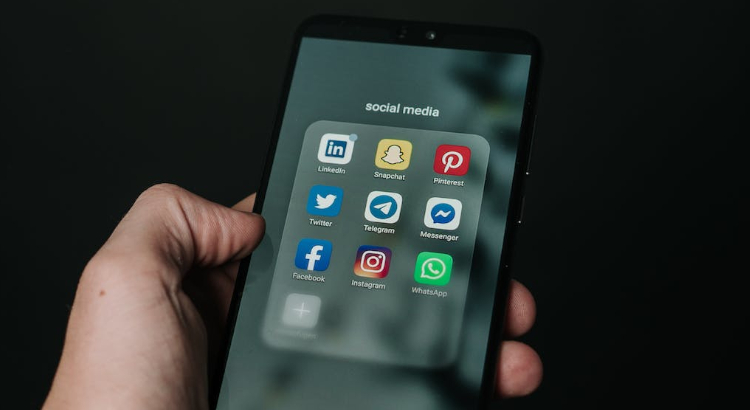
Social Media Marketing (SMM) is a powerful digital marketing strategy that involves using social media platforms to connect with your audience, build brand awareness, and drive website traffic. Successful social media marketing strategies involve a thoughtful blend of content creation, audience targeting, and data analytics to ensure a comprehensive and impactful online presence. Social media marketing experts play a crucial role in devising and implementing effective strategies to optimize engagement and maximize the impact of these platforms. Importance of Social Media Marketing 1. Audience Engagement Social media enables direct communication with your target audience, fostering engagement through comments, likes, and shares, leading to a more interactive and personalized brand experience. 2. Brand Awareness SMM is a vital tool for increasing brand visibility. By consistently sharing valuable content and interacting with followers, businesses can enhance their brand recognition and loyalty. 3. Lead Generation Social media platforms provide an effective way to generate leads. Through strategic content and advertising, businesses can capture the attention of potential customers and convert them into leads. 4. Cost-Effective Advertising Compared to traditional advertising methods, social media advertising is often more cost-effective. It allows businesses to reach a wider audience at a fraction of the cost. Cost-effectiveness makes social media marketing an important part of digital marketing services. 5. Market Insight Social media platforms offer valuable insights into customer behavior and preferences. Analyzing these data can help businesses make informed decisions and tailor their strategies to meet audience needs. Top Social Media Marketing Platforms Facebook Facebook, with its 3 billion monthly users, is a versatile social media giant. Businesses leverage its diverse advertising options, including targeted ads and business pages, to engage with a vast and varied audience. Related Article: Top 7 Benefits of Facebook Marketing for Small Businesses Instagram Instagram, with its emphasis on visual content, is a go-to platform for brand promotion. Ideal for industries like fashion and travel, it encourages visual storytelling through captivating photos and videos. Twitter Twitter’s real-time nature and character limit foster concise and impactful messages. Brands use hashtags and trending topics to boost visibility and engage with a diverse audience on this dynamic social media platform. LinkedIn Geared toward professionals and B2B marketing, LinkedIn is the premier networking platform. Businesses use it to build industry authority, establish thought leadership, and connect with other professionals for meaningful collaborations and partnerships. Snapchat Popular among younger audiences, Snapchat is known for ephemeral content. Brands capitalize on its creativity for engaging marketing campaigns, featuring behind-the-scenes content, limited-time offers, and interactive filters, creating a unique brand experience. How to Create a Social Media Marketing Strategy? Step 1: Choose goals that align to business objectives Select measurable and business-aligned goals for your social media strategy, such as increasing brand awareness, driving website traffic, or boosting lead generation, ensuring a clear direction for your efforts. Step 2: Learn everything you can about your audience Gather insights into your target audience’s demographics, interests, and online behavior. This knowledge guides content creation, ensuring your social media efforts effectively resonate with and cater to your audience. Step 3: Get to know your competition Conduct a thorough analysis of competitors’ social media presence, identifying strengths, weaknesses, and opportunities. Learning from their strategies helps you differentiate your brand and engage your audience more effectively. Step 4: Do a social media audit Evaluate your current social media presence, examining platform performance and engagement metrics. This audit identifies areas for improvement and ensures your strategy aligns with your brand’s objectives. Step 5: Set up accounts and improve profiles Establish or optimize social media profiles with consistent branding, engaging visuals, and accurate business information. A polished profile enhances credibility, encouraging users to connect with and trust your brand. Step 6: Find inspiration Stay informed about industry trends and successful campaigns. Drawing inspiration from diverse sources fosters innovation, keeping your content fresh, relevant, and appealing to your target audience. Step 7: Create a social media content calendar Plan and schedule content in advance with a social media calendar. This ensures a consistent posting schedule, allowing for strategic content creation, including themed campaigns, promotions, and relevant trending topics. Read the article to learn more about creating a social media calendar. Step 8: Create compelling content Craft authentic and engaging content, utilizing visuals, videos, and written posts. Tailor content to each platform, ensuring it aligns with your brand identity and resonates with your audience, promoting meaningful interactions. Step 9: Track performance and make adjustments Regularly analyze social media metrics to assess strategy success. Use performance data to make informed adjustments, identifying what works and what doesn’t. Continuous improvement ensures the effectiveness of your social media efforts. Best Practices 1. Personalized Customer Experience Tailor content and interactions to individual preferences, leveraging customer data for a more engaging experience. Personalization fosters stronger connections, loyalty, and customer satisfaction. 2. Efficient Content Marketing Develop a strategic content plan aligned with business goals. Consistently produce valuable, relevant content that resonates with the target audience, establishing brand authority and trustworthiness. 3. Community Building for Your Audience Build an online community around your brand to foster a sense of belonging. Encourage engagement, discussions, and user-generated content, strengthening brand loyalty and providing valuable feedback. 4. Optimized Profiles on Relevant Channels Identify and establish a presence on social media platforms where your target audience is active. Optimize profiles with consistent branding, visuals, and information to make a memorable and impactful first impression. 5. Cross-Channel Marketing Campaigns Integrate marketing efforts across various channels to maximize reach and impact. Develop cohesive campaigns with a consistent message, ensuring a seamless experience for your audience across different platforms. 6. Live Storytelling Experience Engage your audience by sharing real-time content through live videos. Use this interactive format to tell stories, showcase behind-the-scenes moments, and connect authentically, creating a dynamic and engaging brand experience. Conclusion of Social Media Marketing Strategies Social media marketing is an essential tool for businesses looking to thrive in the digital age. By utilizing various platforms strategically, businesses can enhance their online presence, connect with their audience, and

linkedin profile tips
Social Media, Web Design

How to Boost Your Linkedin Profile for Web Design Businesses

Have you started building your LinkedIn profile yet?  If you want to do this, but do not have any idea how to begin, it is important for you to read this article. We will provide you with some tips regarding how to boost your LinkedIn profile to help promote your web design business more effectively in the long run. Continue reading to learn more about it. Best Linkedin Profile Tips to Get More Web Design Businesses Complete Your Profile Elements The first thing that you need to do is to complete your profile. One of the best ways for you to connect on LinkedIn is through your own profile. Here, you can include a lot of the elements that you would normally include in your resume. If you look at your profile design, there are additional sections that you can add which can house a lot of new information about you such as any additional skills that you might have, any languages that you know plus other seminars and trainings that you have attended. By having these sections available in your profile, you will certainly boost audience traffic a thousand fold. Increase Audience Engagement The next thing that you need to do is to make sure that you are able to engage your audience quite well. You can do this by sharing various web design articles that you are interested in or anything that you have written on your own. Doing this, you will not only showcase your design skills, but your talents in writing as well. These articles also give the audience a glimpse of who you are as a person through what you read. If you feel that you’re good at web designing, it would be best to revamp your profile in such a way that would reflect this particular skill. Choose a background that shows a healthy mix of professionalism and creativity. Share Your Portfolio In addition, share any related web design projects that you have done in the past. This way, people will have an idea what you can offer in terms of web design skills for future projects. Just make sure that the work you are going to post does not contain any copyrighted material. If Do not be afraid to share your portfolio online. This is one way of showing other online entrepreneurs what you have to offer. If you have samples of your web design work, post it on LinkedIn. You will surely not regret it. Make the Connection It is also important for you to connect with like-minded individuals on LinkedIn. Join web design groups so that you can have an outlet to share your ideas and thoughts on the various design trends that have emerged in recent years. This means that you should also connect with fellow web designers who can give you recommendations regarding which companies to work with in the future. You can also communicate with companies that capture your interest on a professional level. The good thing about LinkedIn is that it opens up a lot of opportunities for members of the business community to connect effectively both here and abroad. You may also check the article on linkedin.com Conclusion You would not have to worry about any missed opportunity mainly because you can do this in the convenience of your own home for sure. By following the steps above, you will certainly be able to increase traffic for your LinkedIn profile without difficulty.  

Social Media

Ten Tips in Raising “Likes” in Your Facebook Fan Page

Top 10 tips on how to increase likes on facebook page for free A business—big or small—should have its own Facebook page. This is not a prerequisite but this can be an advantage to the business’ success. A Facebook fan page can help build the reputation and brand of your business. Once you have your own Facebook fan page, the next step is to have it “like-d” by Facebook users and this is the gruelling and the most difficult part. Studies have showed that only 9% of Facebook users are interested to “like” business’ Facebook fan page. It may be hard, but it is not impossible. Below you will find ten tips that you can use to leverage your chances of being “like-d” and to have your Facebook fan page a successful portal of marketing and advertisement for your business. 1. Enhance your Facebook fan page. Most businesses stop on enhancing their pages once they already created their account. This is not so, the people who you have to attract to “like” your page should see something from you. You can post pictures of your products and current company events on your page or you can put on calendar of sales and promos of your company and the likes. These will entice them to subscribe on your Facebook page. 2. Update your Facebook fan page religiously. Keeping your account as updated as possible will attract “likers”. Every now and then, you can post status of your business or you can upload photos of your product and a brief review of it from clients. You can also post articles of your business and products reviews or link some videos of news coverage or customers’ testimonials regarding your business and products or services. 3. Post discount coupons or promotional materials exclusively on your Facebook fan page. Likers of your page should benefit or gain from the page because that is the nature of things—they liked your account so it is your responsibility to do something in return. You can exclusively post a discount coupon for likers of your fan page or you can update your page with promos and sales of your business. Be creative and be unique. 4. Optimize the tag option. Other than the like button, you can also make use of the “tag” option wherein you can link the names of Facebook users so they, too, can become acquainted with the photos or status on your fan page. If you tag something interesting and catchy, then you can observe that these users will share or like your photos or status and it will become a trend in Facebook users’ newsfeeds—thereby enhancing your connection. 5. Create appealing and likeable photo caption. Uploading photos without a caption is leaving your audience haunting for information. So, take note that you should create appealing and likeable photo caption not just lengthy and dull wordings—so that you can generate more likes on your fan page. 6. List down personal information of your clients and business associates. These information are vital so that you can connect with them—these people are potential “likers” of your fan page. 7. Send reminders to your contacts if necessary. There are critical events and occasions on your business calendar wherein you wanted your contacts in Facebook to be reminded of and prompted of the details of such important event. Do so, if necessary; but be sensitive enough to remain polite and brings no inconvenience on the part of your recipients. 8. Boost the page’s like by sharing. There is a share button with groups, with friends and in your timeline. So if there is an important news or announcement that you would like other organizations and associations to know, then use this share option. 9. Remain appreciative. If you have charitable events, then being grateful and thankful to those who supported the activity is a must. This is no different even if you are just launching your fan page, conducting a simple program, spearheading a press conference and the likes; you have to be appreciative of all the people and individuals who made possible the success of the activity. 10. Always be ready to lend a hand. If you want to be helped in your times of need, then you must be ready to lend a hand to those who are in need. Do a favour and you will receive a favour in multiples. Looking to Increase the likes on your facebook page for free? These are the ten tips that you can use when you launch your Facebook fan page and find it difficult to raise the “likes” in your account. It is hard and time-consuming, yes; but, it is possible and worth-while taking. As a freelance web designer working in the filed with several years, I can create beautiful facebook fan page design for your small business.

Scroll to Top