
FreelanceWebDesigner

benefits of facebook marketing
Marketing

Top 7 Benefits of Facebook Marketing for Small Businesses

This article aims to educate small business owners about the benefits of Facebook marketing to them. Facebook, with its 2.6 billion monthly users, is undeniably one of the most popular online marketing tools. Therefore, it is important for businesses to take advantage of the large audience in order to boost sales. Over 200 million small companies around the world are using Facebook for marketing and promotion, according to recent figures. Well-optimized Facebook ads can generate excellent results, even if some business owners have yet to embrace Facebook’s role in advertising. Having a large number of Facebook “likes” is as simple as launching a publicity campaign. The more individuals who “like” your business page on Facebook, the more people will learn about your company. The importance of this in building recognition and favorability for a brand cannot be overstated. Benefits of Facebook Marketing Do you use Facebook as part of your overall marketing plan? If you don’t, you’re passing on a crucial method of promoting your business online. Is Facebook marketing worth it for small businesses, and what are the main benefits? Continue reading! 1. Easier to target a specific audience Facebook’s advertising capabilities are helpful since they allow you to select the most appropriate market to target, in contrast to traditional marketing, which makes it impossible to target a specific demographic. Facebook’s remarketing features make it simple for users to get in touch with potential customers. But Facebook’s advertising platform lets you pick your price range, design your ad, and zero in on your ideal customers. This reduces the overall cost of advertising and boosts ROI. Social media marketing offered by experts includes Facebook marketing to target the specific audience for the marketing of your products or services. 2. Cost-effective Facebook advertising is inexpensive and more reasonable, especially for new and smaller enterprises. Facebook ads can cut your advertising costs by almost half compared to more conventional methods. In most cases, all that’s required is establishing a modest budget, selecting a target demographic, and letting the campaign run for as long as that time period is specified in the campaign’s settings. When done right, it has the potential to provide much better returns on investment than more conventional forms of marketing. 3. Improves customer service Providing excellent service to customers is essential to the success of any company. Marketing on Facebook does more than just reach out to customers; it also strengthens a company’s bond with its intended demographic. Facebook marketing encourages two-way communication with consumers, in contrast to the typically one-way nature of traditional advertising. In such a scenario, repackaging a product with upgraded features to meet consumer needs is simpler than before. It’s also less difficult to respond to customer feedback and implement changes that enhance service quality. In the end, this means more repeat business and better ratings from satisfied consumers, both of which are crucial to expanding your business. In addition, the use of various media types in online ads, such as text, graphics, videos, and images, has been shown to increase click-through rates. You can use a messenger bot, Facebook groups, and live videos to get in touch with customers and increase engagement. 4. Free data analysis The ability to get a thorough understanding of your target audience’s wants and desires through the use of customer personas is crucial. Facebook gives its users instant feedback on the efficacy of their advertising efforts. This allows you to determine which campaign is the most successful and to end the others. Facebook’s Ads manager’s conversion rates reveal information about your post’s performance, reach, and interaction in addition to the total number of likes on your business page. You may tailor your Facebook ad campaign to meet your specific needs. The Facebook ad features not only aid in strategic campaign planning but also in monitoring the overall efficacy of your advertisements. As a result, you can monitor the efficacy of your advertisements and draw conclusions about how the campaigns affected the exposure your company received. 5. Effective marketing strategy It’s time to give Facebook’s ad management a try if you’ve been having trouble with your ads elsewhere. Facebook remarketing is a component of Facebook’s ever-evolving marketing tools that allows you to contact people who have already shown interest in your business. You might lower your prices to persuade the customer to convert your visitors. To increase the likelihood of a sale from a potential customer in the future, remarketing is the way to go. To encourage customers to finish a purchase they started earlier, you may provide them with an exclusive discount code only available on Facebook along with certain discounts. You can see which customers could have bounced by using Facebook’s tracking feature. The consumer’s buying habits will then inform an advertisement campaign. You can also create a marketing strategy using the Facebook ads tips. 6. Easier conversion through the call-to-action feature Facebook’s call-to-action button is useful for increasing clickthroughs. Instructions on how potential customers can place an order for a product or service are simplified by the addition of a personalized call to action. A subscription form, app installation instructions, or instructional video are all viable options. The best calls to action (CTAs) will have a major impact on sales. According to data provided by Ad Roll, businesses may increase conversions from Facebook ads by as much as 2.85 times simply by adding a call to action button. 7.  Driving traffic to your website The value of natural website visitors cannot be overstated. Facebook’s advertising tools can be used to increase clickthroughs to your site. Most Facebook users login for social interaction and entertainment, but they may end up on your site if you share content that interests them. Only by providing material that readers will find engaging will you be able to attract people to your website in sufficient numbers. Instead of wasting money on fake traffic services, you may spend some time sharing information on different Facebook pages to gain more likes. In that


SEO

Top 10 Free SEO Tools by Google for Bloggers

If you are a blogger who wants to rank higher on Google, you need to use some of the free SEO tools that Google offers. SEO stands for search engine optimization, which is the process of improving your website’s visibility and relevance for search engines and users. The Google SEO tools can help you with various aspects of SEO, such as keyword research, content creation, site analysis, link building, and more. List of Top Free SEO Tools by Google This article will introduce you to the top 10 free SEO tools by Google that you can use to boost your blog’s performance and traffic. These tools are: 1. Google Search Console This is the most essential tool for any website owner, as it allows you to monitor your site’s health, performance, and issues. You can also submit your sitemap, check your crawl stats, see your search queries and impressions, and optimize your site for mobile devices. If you think using this type of tool is a complicated task, you can always ask for the help of an SEO expert. 2. Google Analytics This is the most popular tool for measuring and analyzing your website’s traffic, behavior, and conversions. You can track various metrics, such as page views, bounce rate, session duration, sources, goals, and more. You can also segment your audience by demographics, interests, location, and behavior. 3. Google Keyword Planner Keyword Planner is the best and free SEO tool for finding and researching keywords for your blog posts. You can enter a topic or a seed keyword and get hundreds of related keywords with their search volume, competition, and bid range. You can also see how your keywords perform over time and across regions. 4. Google Trends This is a great tool for discovering and exploring trending topics and keywords in your niche. You can see what people are searching for on Google in real-time or over a period of time. You can also compare different keywords or topics and see their regional and seasonal variations. 5. Google PageSpeed Insights This is a useful tool for testing and improving your site’s speed and performance. You can enter your site’s URL and get a score out of 100 for both mobile and desktop versions. You can also see the factors that affect your site’s speed and get suggestions on how to fix them. Related Article: Why SEO Is Important for Business to Achieve Online Growth? 6. Google Mobile-Friendly Test This is a simple tool for checking if your site is mobile-friendly or not. You can enter your site’s URL and get a yes or no answer. You can also see how your site looks on a mobile device and get recommendations on how to make it more mobile-friendly. 7. Google Structured Data Testing Tool This is a handy tool for validating and testing your site’s structured data. Structured data is a way of providing additional information about your site’s content to search engines, such as ratings, reviews, prices, events, etc. You can enter your site’s URL or code snippet and see if your structured data is correct and error-free. 8. Google Rich Results Test This is a new tool that replaces the old Google Structured Data Testing Tool. It allows you to test if your site’s structured data can generate rich results on Google search results pages. Rich results are enhanced snippets that display more information than regular snippets, such as images, videos, ratings, etc. You can enter your site’s URL or code snippet and see if your site is eligible for rich results and how they look on different devices. 9. Google Search Central Blog This is the official blog of Google’s search team, where they share news, updates, tips, and best practices on SEO and webmaster topics. You can learn a lot from reading their posts and following their guidelines on how to optimize your site for Google searches. 10. Google Webmasters YouTube Channel This is the official YouTube channel of Google’s search team, where they upload videos on various SEO and webmaster topics. You can watch their videos and learn from their experts on how to improve your site’s performance and visibility on Google searches. Free SEO Tools by Google for Bloggers – Summary These are the top 10 free SEO tools by Google that are recommended for bloggers who want to rank higher on Google. By using these tools regularly and effectively, you can boost your blog’s traffic, engagement, and conversions.

benefits of blogging
Web Design

Top Benefits of Having a Blog on a Business Website

If you are a business owner, you might be wondering if having a blog on your website is worth the time and effort. After all, blogging can be time-consuming, challenging, and sometimes frustrating. However, there are many benefits of blogging for your business that you should not overlook. Here are some of the reasons why you should consider adding a blog to your website. Advantages of Having a Blog on Your Business Website Take a look at some of the benefits of having a blog on your business website. Establish brand authority A blog can establish your authority and credibility. By sharing your expertise, insights, and opinions on your blog, you can showcase your knowledge and skills in your field. This can help you build trust and rapport with your potential and existing customers, as well as other industry players. A blog can also help you position yourself as a thought leader and an influencer in your niche, which can open up new opportunities for collaboration and growth. With the help of the best web designers, you can set up a blog on your website to increase brand authority. Boost brand awareness A blog can enhance your brand awareness and identity. A blog is a great way to express your brand personality, voice, and values. You can use your blog to tell your brand story, share your mission and vision, and highlight your unique selling proposition. You can also use your blog to showcase your products or services, share customer testimonials and success stories, and announce new launches or updates. A blog can help you create a loyal fan base that resonates with your brand and supports your goals. Boost SEO ranking A blog can boost your SEO. Search engines love fresh and relevant content, and a blog is a great way to provide that. By regularly updating your blog with useful and informative posts, you can increase your chances of ranking higher for keywords related to your industry and niche. This can help you attract more organic traffic to your website and generate more leads and sales. Because of this, SEO services include sharing SEO-friendly content through blogs. Increase customer engagement A blog can increase your customer engagement and retention. A blog is not only a one-way communication channel, but also a two-way conversation platform. You can use your blog to interact with your audience, answer their questions, address their pain points, and solicit their feedback. You can also use your blog to encourage social sharing, comments, and subscriptions. By engaging with your customers on your blog, you can foster a sense of community and loyalty, which can lead to repeat purchases and referrals. Related Topic: Promote Your Business with a Company Blog Generate leads A blog can also help you generate more leads and conversions. By offering useful information, tips, solutions, or resources to your readers, you can build trust and rapport with them and encourage them to take action. You can also use your blog to showcase your portfolio, testimonials, case studies, or success stories and demonstrate how you can solve their problems or meet their needs. Stand out from the crowd A blog can also help you differentiate yourself from your competitors. By showcasing your unique voice, personality, style, or values, you can stand out from the crowd and create a loyal fan base. You can also use your blog to highlight your social responsibility, community involvement, or environmental initiatives and show that you care about more than just profits. Learn more about How to Start Free Blog for Attracting More Customers? Top Benefits of Having a Blog on a Business Website – Summary As you can see, having a blog on your website can bring many benefits for your business. However, blogging is not a one-time thing. You need to be consistent, strategic, and creative with your blogging efforts to reap the rewards. If you need help with creating or managing your blog content, you can always hire a professional writer or a content marketing agency to assist you.

best content management systems
Web Development

The Best Content Management Systems to Build Business Websites

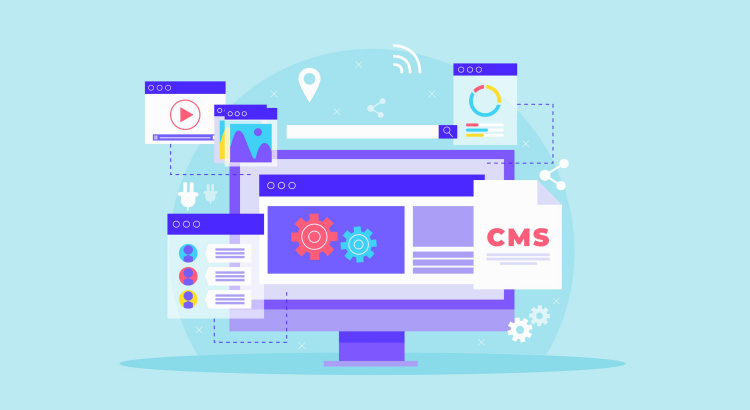
The best content management systems will let you build top business websites. Code is the basis for all websites. Code can be compared to the structure of a building, where additional website parts are placed. However, thanks to content management systems (CMS), even non-developers may now design websites without having any prior knowledge of web programming. Currently, roughly 80 million active websites are powered by these platforms. List of the Best Content Management Systems Some of the best CMS platforms are listed below. 1. WordPress WordPress is an open-source website platform that powers close to 60% of websites. WordPress began as a platform for bloggers but has now developed into a popular CMS and website builder. Over 60,000 free plug-ins and over 10,000 free themes are accessible on this platform, although there are also paid versions. Obtaining the most recent plug-in versions can lessen WordPress vulnerabilities. This is one of the best content management systems that takes pleasure in creating webpages that adapt to mobile devices. For your posts and pages, WordPress also creates title tags and meta descriptions automatically. But there are plug-ins for more sophisticated SEO features. Through WordPress.org, you can begin creating your website using the free edition. Related Topic: Advantages of WordPress for Developing Business Websites 2. Wix Wix’s drag-and-drop design and simple setup are appealing to new business owners starting their online presence. Over 800 professionally designed templates (more than 500 of which you may freely access from the website) and more than 100 fonts are available for you to select from. To “manually” build your site, you can utilize Editor X or the default Wix Editor. Additional features provided by Editor X include the ability to create custom codes, grant access to more design templates, and enable mobile readiness. The Wix ADI (Artificial Design Intelligence) is another option for your AI-powered web developer. 3. Drupal For large organizations needing collections of libraries for their digital assets, Drupal is another license-free platform that is advised. This CMS is well-known for its strong security features, which include core validation, automated updates, database encryption, DoS attack prevention, user access control, and prevention of unauthorized data entry. Based on the behavior of your visitors, Drupal includes automatic marketing solutions that launch drip campaigns through a variety of channels. The platform supports multiple languages and uses a cutting-edge CDN provider for quick page loads. Drupal is better suited for complicated websites, thus those who are familiar with coding have an advantage when utilizing the platform. If you think using Drupal is too complicated, you can always ask for the help of a web designer. 4. Joomla If you know a little bit of coding and want to try your hand at website construction, you might like Joomla. To change the features and appearance of your site, you can select from more than 5,900 extensions (both free and premium). The platform is updated by volunteer programmers. Over 70 languages can be translated thanks to its multilingual content delivery and administration. Additionally, websites created with Joomla are mobile-responsive. The platform’s security measures include the usage of two-factor authentication. 5. Shopify Shopify is used by more than 4.1 billion active websites to power their online stores. You can create product listings, descriptions, and categories using the platform’s capabilities. On Shopify, you can also create a blog and landing pages. As one of the best content management systems, Shopify supports over 50 different languages and includes built-in SEO capabilities. The key elements that eCommerce retailers require, such as a shopping cart system, robust security features, and payment processing, are also included in Shopify. Additionally, you may handle orders, maintain inventory, and view analytics and customer data. 6. Squarespace If you’re looking for the best content management systems with a website builder that offers modern themes, Squarespace is a good choice. Artists, photographers, and musicians who work as creative professionals value the platform’s 100 aesthetically pleasing templates. Squarespace has a fantastic blog publisher, albeit it is better favored for content that is visually heavy. You can assign several authors access, schedule posts, and build up a simple commenting system. If you want to create a website using Squarespace, read the article about the Squarespace guide to web design basics The Best Content Management Systems to Build Business Websites – Final Thoughts A CMS is essential for maintaining relationships and interaction between you and your target audience as your business expands. When choosing a good system for your business, you should take a few factors into consideration, such as choosing a safe and frequently updated platform that is simple for your users (your employees, developer team, and customers or readers).  It will be easier to implement your CMS throughout your workforce if it integrates with your current software, including customer relationship management, email, accounting, and eCommerce solutions.

increase domain authority
SEO

5 Ways to Increase the Domain Authority of Your Website

There are numerous things to think about and optimize when creating a website. Increasing domain authority (DA) is one of the most crucial things. People anticipate finding high-quality content that responds to their queries when they use search engines like Google. As a result, your website must be well-designed and the information on it must be useful to the user. Your website’s domain authority can have a big impact on how well it is optimized to appear in search engine results. You can see an increase in visitors and improved search engine ranks as your domain authority rises. But when done incorrectly, it can be difficult to fix. Five Ideas to Raise the Overall Domain Authority of Your Website The domain authority of your website is crucial to both its visibility and search ranking. The greater the domain authority of your website, the more likely it is to show up in search engine results. Here are five suggestions to help you increase the domain authority of your website. 1. Improve on-page SEO On-page SEO entails making every page of your website’s content as apparent and pertinent to search engines as feasible. Use of pertinent keywords, picture and video optimization, use of meta tags, and other techniques are all part of this optimization. In order to increase your website’s domain authority, on-page SEO is crucial. This is because it enables search engines to comprehend the page’s subject matter and assess its user value. By making your website as visible and pertinent to search engines as possible, you can improve your website’s search ranks and domain authority. An SEO expert can help your business to improve its domain authority. 2. Improve off-page SEO Off-page SEO improves your website in ways that go beyond just the webpage. Link building, social media promotion, and other forms of external marketing are all part of SEO. Off-page SEO raises the overall domain authority of your website and assists in establishing it as a leader in its industry. Off-page SEO, especially link building, is crucial since it demonstrates to search engines that other websites are linking to your website, which can increase domain authority. 3. Enhance your technical SEO Technical SEO comprises making your website’s code and structure as crawlable and indexable as possible. Technical SEO includes improving your website’s performance and navigation, making sure all the pages are correctly linked, and making sure your website is safe. Increasing your website’s domain authority requires technical SEO because it makes it easier for search engine crawlers to find and understand your website. Another important aspect of assessing domain authority is your website’s credibility, which is enhanced by making sure it is safe with an SSL certificate. Related Article: Why SEO Is Important for Business to Achieve Online Growth? 4. Improve page speed In addition to domain authority, page speed also has an impact on how users interact with your website. If your website loads slowly, visitors may get impatient and quit, which will limit engagement and decrease conversions. As Google favors websites that load quickly, a slow website can potentially lower your search engine ranks. By improving user experience and search engine results, increasing the page speed of your website can help you increase your domain authority. 5. Build a backlink strategy Improving the domain authority of your website requires a backlink strategy. Your domain authority score can be considerably impacted by the quantity and quality of backlinks pointing to your website. Building authority backlinks from reputable and pertinent sources is crucial as a result. Developing connections with industry leaders and influencers, producing material that other websites will want to link to, and utilizing social media platforms to promote your content are all examples of this method. Learn more about what is domain authority and why is it important. 5 Ways to Increase the Domain Authority of Your Website – Summary For your website to remain competitive and have a strong online presence, its domain authority must be kept high. By optimizing the aforementioned categories, domain authority should be continuously built up and increased. By doing this, you’ll be able to maintain the relevance of your website and improve its search engine ranking. You may increase your website’s domain authority and stay competitive in your market by using the appropriate tactics.

freelance web designer
Freelance

Reasons Why You Need to Hire a Freelance Web Designer

If you are looking for a way to improve your online presence, boost your sales, and attract more customers, you might want to consider hiring a freelance web designer. A freelance web designer is a professional who can create a custom website for you, according to your needs and preferences. Here are some reasons why you need to hire a freelance web designer for your business. Reasons to Hire a Freelance Web Designer The following are the main reasons why you should choose a freelance website designer. 1. You get more flexibility and control When you hire a freelance web designer, you can communicate directly with them and give them your feedback and suggestions. You can also choose the style, layout, colors, fonts, and features of your website, without having to compromise with a third-party agency or platform. You can also request changes or revisions anytime you want, without paying extra fees or waiting for long periods. 2. Save time and money Hiring a freelance web designer can be more cost-effective than hiring an agency or using a website builder. A freelance web designer can charge lower rates than an agency because they have lower overhead costs and don’t have to pay commissions or fees to anyone else. A freelance web designer can also work faster than an agency because they don’t have to deal with multiple clients or projects at the same time. You can also avoid paying monthly or annual fees for using a website builder, which can add up over time. 3. More quality and creativity A freelance web designer can offer you more quality and creativity than an agency or a website builder. A freelance web designer can create a unique and original website for you, that reflects your brand identity and personality. A freelance web designer can also use the latest tools and technologies to make your website more functional, responsive, and user-friendly. A freelance web designer can also keep your website updated and maintained, ensuring that it runs smoothly and securely. You can learn why great web design matters from this article. 4. Better communication Working with a freelancer means interacting with a single person, not various departments. Despite the fact that agencies designate a point of contact (POC) for the customer, there is little connection with the actual designer. A freelancer serves as both a designer and an account manager, so you don’t need to get in touch with them directly. 5. Independence Good freelancers have taken on positions that have expanded them while working with a variety of clients. As a result, they bring to a project greater experience and knowledge than an agency designer who would typically be given a similar set of tasks. When it comes to developing their own skills, independent designers are frequently leaders in the field. The comfort of a job prevents agency designers from frequently upgrading their skills. Reasons Why You Need to Hire a Freelance Web Designer – Conclusion These are some of the reasons why you need to hire a freelance web designer for your business. A freelance web designer can help you achieve your online goals and grow your business. If you are interested in hiring a freelance web designer, you can contact me today and let me know what you need.

how to start free blog
Web Design

How to Start Free Blog for Attracting More Customers?

You can learn how to start free blog from this article. Everyone requires a presence online, whether it be to promote their own ideas or execute their content marketing strategy. The good news is that there are several free blogging platforms available today, making it simpler than ever to start your own blog. However, it is believed that there are more than 400 million active blogs globally when the number of users of the primary platforms for disseminating and managing current material is taken into account. Therefore, in addition to looking at the content, you must advertise your ideas or business in the appropriate location if you genuinely want the audience to read them. How to Create a Blog for Free? If you need a place to share your ideas or drive traffic, there are blogging platforms that are absolutely free and very easy to use. Some of them are listed below. 1. WordPress WordPress is the most well-known free website-building platform in the world, yet it didn’t get there by accident. In addition to providing a user-friendly and trustworthy interface, it also offers a vast selection of free themes and customization possibilities. The blog hosting service on the WordPress platform that doesn’t need installation or additional services is called WordPress.com. Simply up for a free account to begin developing your blog. If you need a more professional approach, you can ask for the help of a web designer. They will use appropriate plugins and themes to make the website more appealing. 2. Medium Medium is a very new but quickly expanding blogging platform that is free to use. The idea behind it, according to its designers, including Twitter co-founder Evan Williams, is to build a simple interface that is content-focused. This means that while Medium does not offer many customization choices, it does offer some other highly intriguing capabilities, like the ability to annotate and comment on specific passages of text. 3. Blogger Blogger is Google’s free blogging platform and was formerly regarded as one of the most favored tools in the industry, but it has been eroding in favor as other comparable alternatives have gained popularity. However, Blogger is fascinating and is home to most blogs on the planet. It focuses on relevant and individualized material and is a useful tool for staying in touch with loved ones. 4. Wix Wix’s incredibly adaptable website editor helped it become popular. Building pages with the platform are like playing a genuine game that you can drag, drop, color, and customize as you choose. Wix draws lay customers searching for the most basic option for building websites and online commerce because of its incredibly intuitive nature. Learn more about adding and setting up your blog using Wix. 5. Weebly A highly well-liked platform all over the world, Weebly astounds with the possibilities it provides. Without any prior experience, you may use it to build websites, blogs, and even e-commerce sites. The “drag and drop” editor, which makes customizing pages much more feasible, is one of its key advantages. Another advantage is the ability to add several users, each with varying usage limitations, in a manner similar to that of more robust CMSs like Drupal and WordPress. How to Start Free Blog for Attracting More Customers – Summary The most basic content publishing platforms might be sufficient if you merely want to add a source of traffic to your main website or online store or if you want to do less expensive advertising. All of the free blogging services discussed in this article are useful, and they are all used daily by a huge number of people all over the world to publish photographs, videos, and articles. The decision will, however, be more influenced by your unique needs and objectives.

advantages of wordpress
WordPress

Advantages of WordPress for Developing Business Websites

There are many advantages of WordPress which makes it a better option for developing business websites. This article is going to explain some of those benefits. WordPress was launched as a blogging platform. Slowly it gained popularity and started to add new features until it became a complete content management system (CMS). Several other CMS platforms are also available for Web developers. Drupal and Joomla are among those. But WordPress is comparatively better than these platforms. The Top Advantages of WordPress for Creating Business Websites The list of top advantages of using WordPress that makes it an ideal choice for developing business websites is given here. Ease of Use Even if you’re not experienced with CMS and you don’t have an in-house web developer, you can build a WordPress website by yourself. The easy-to-use administrative interface needs no technical knowledge to manage. Installing plugins and themes, adding content, and every operation on the website is very simple If you want to build a more professional-looking website you can hire a professional web developer experienced in WordPress development. Numerous Themes Another important benefit of WordPress is the availability of plenty of themes. You can change the looks of the website using different themes. Depending on the nature of the business, you may find multiple choices of great themes. The themes can be further customized according to your business requirement. If the desired are not available in the store, you have the option to create custom WordPress themes with the help of WordPress web designers. Related Topic: WordPress Web Design Services: Why Hire a Company in India? Superior Security This is one of the main advantages of WordPress. WordPress will provide regular updates for the core system to keep them protected from viruses and malware. By keeping the core system up-to-date you can ensure the site has all the latest security features. Plenty of Plugins WordPress plugins add extra features and functionalities to your site. You can search the plugin directory to find a plugin that offers the desired feature. If you want to integrate eCommerce functionalities into the website, then you can choose the WooCommerce plugin. You should hire a WooCommerce web designer to get an online store for your business. Related Article: Online Store Business: Things You Need to Know Before Launching SEO Support Having a good design won’t bring customers to the website. The site must have high online visibility to help potential customers easily find your business. Search engine optimization (SEO) will let the site achieve high search engine rankings and boost website visibility. WordPress is having many SEO features by default. Therefore, the site can already be optimized to attract huge organic traffic. Related Topic: Why SEO Is Important for Business to Achieve Online Growth? Built-in Blogging Features Since WP was launched as a blogging platform, it has many built-in blogging features.  Setting up RSS feeds or email subscriptions to the blog, adding comment sections, etc., are very easy. Are The Advantages of WordPress Enough for Developing Business Websites? The major advantages of WordPress for creating a business website are listed above. Apart from those factors. The affordability and scalability make them a better choice than other CMSs. Advantages of WordPress for Developing Business Websites – Summary The user-friendliness, SEO-friendliness, affordability, availability of themes and plugins and so many more reasons make them the ideal CMS platform to build business websites.

online store business
eCommerce

Online Store Business: Things You Need to Know Before Launching

The online store business had shown enormous growth in the past few years. The spike in smartphone and internet usage is the major cause of this growth. More and more people are shopping from the convenience of their home or workplace instead of going to physical stores. This resulted in a massive demand for eCommerce websites. If you are considering launching an eCommerce website and promoting your products online, use this guide to know more about the business. Things to Know Before Starting Online Store Business The top list of things you should know before starting an online shop business. Making Strategy for Your Business Before you start an eCommerce business, you should draft a great commercial business plan. Your online business format must include something unique which can help the business stand out from the competition. You also need a clear perception of your business goals. Choosing a Business Name This has huge importance in the online shop business. You have to pick a decent and unique name suitable for your business. Try choosing a business name that has no resemblance to other brands. Uniqueness can be good for your branding services. You also need a business logo. You can either use the name on the logo or use icons and alphabets on the logo. A top logo designer will help you to decide the suitable one and they will create the best logo as per your liking. Related Topic: Why Branding Is Important for Small Businesses? Creating Marketing Strategy Like any other business marketing can huge impact on the success of your eCommerce business. There are many ways to market your business online and offline. One of the best digital marketing methods is social media marketing. Several social media websites such as Facebook, Instagram, Twitter, and more are used for marketing. You should choose a company offering reliable social media marketing services. Related Article: Ecommerce Marketing Strategy for The Success of Online Business Understanding the Customer/Target Audience Weak demand for products and services caused the failure of many start-ups. To avoid such situations, you should study the target audience. Learn the purchase behavior of the target audience. Learning their interests and market trends is important for the success of the business. Choosing an eCommerce Platform The most affordable way of launching an online marketplace is by using an eCommerce platform. Platforms like Magento, Shopify, WooCommerce, etc., are great for building an online store. With the help of an eCommerce website designer, the site can be customized according to your business requirements. Tips To Grow Your Online Store Business For the success of online store business, provide something unique for the customers Add high-quality content to the website Optimize the product pages with the help of an eCommerce SEO consultant Speak to the specific targeted audience to understand their requirements Things to Know Before Starting Online Store Business – Conclusion The important things that you must understand before launching an eCommerce website are listed in this article. Following these things will help you have success in the business.

Scroll to Top